Built for MetaTrader 5 · Windows 10 / 11 · v1.0.0

Plan on the chart. Execute in one click.
Hear every result.

Visual setups, news-armed orders, hard risk limits and a voice assistant that reports every fill, stop and target, all inside MetaTrader 5.
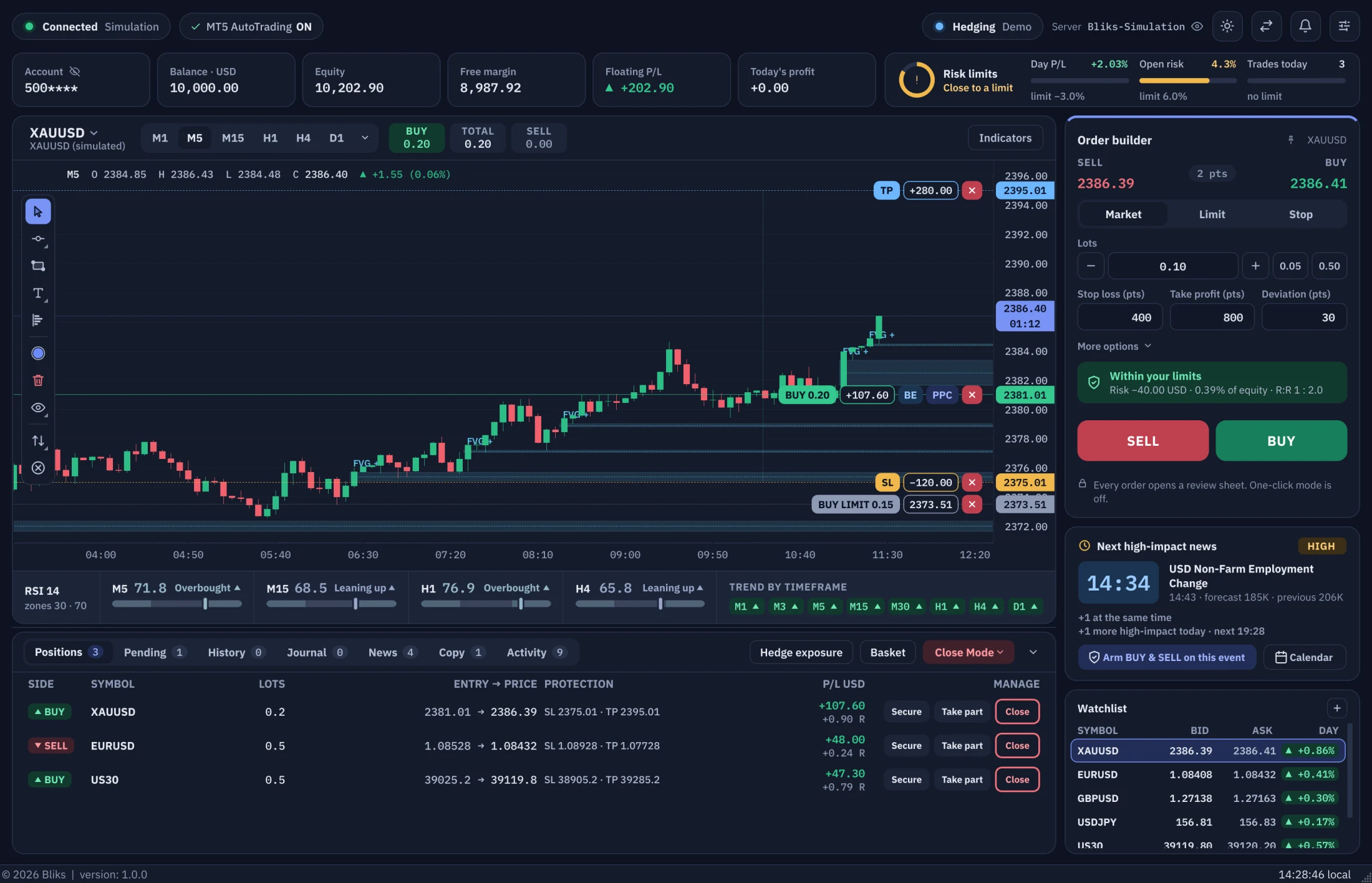
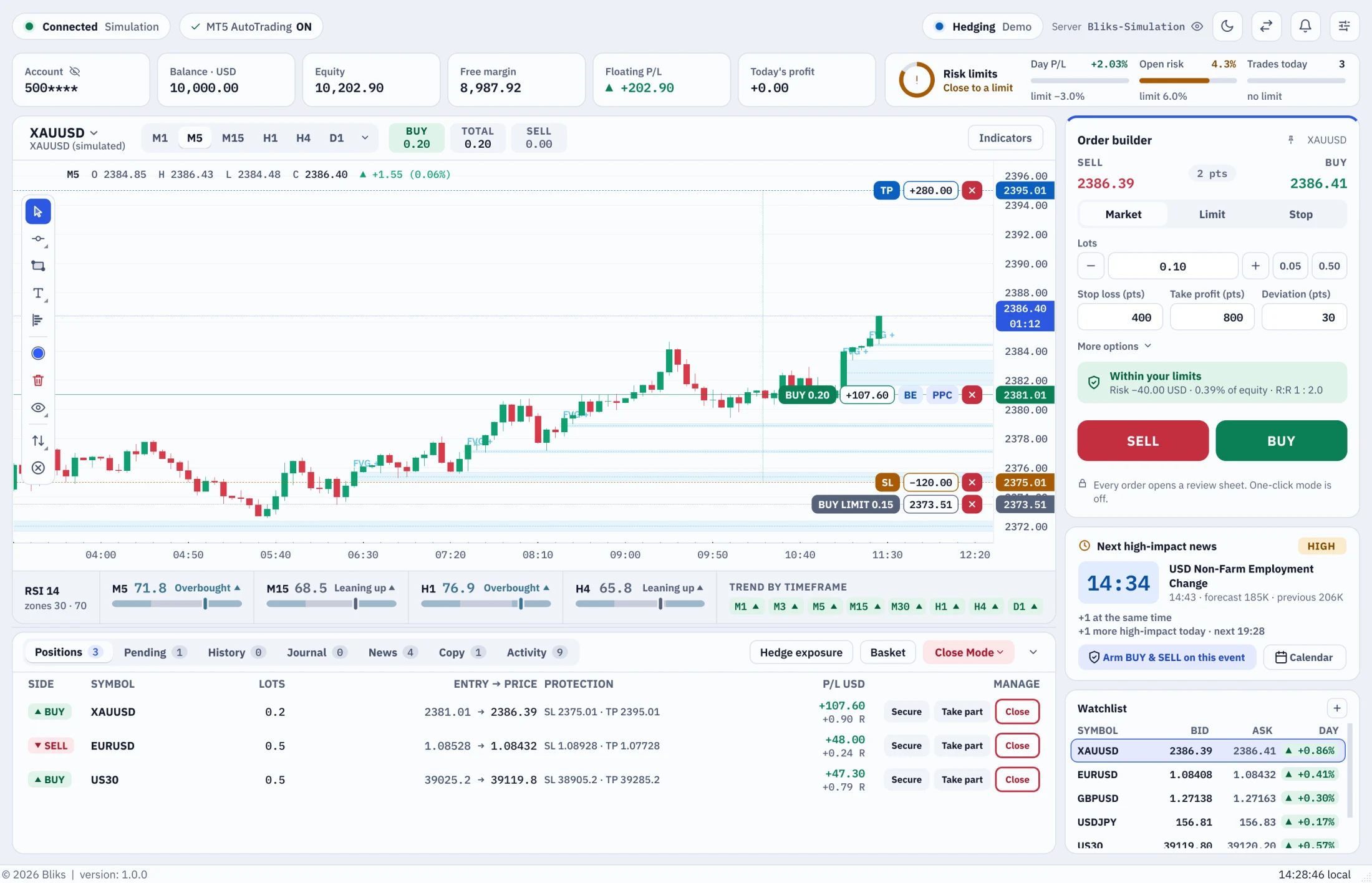
Bliks Trade Manager in its dark theme

Drag the line to compare the dark and light themes.

1window with the chart, the Order builder, the news and your trades always in view
D · W · Mdaily, weekly and monthly loss limits, plus prop-firm drawdown
EN · ARfull interface in English and Arabic, dark and light themes
MT5runs beside the terminal you already use, nothing to migrate
Workspace

A workspace built around the trade.

Everything you trade with stays on one screen. Nothing hides behind a side bar and nothing is pushed out of view.

The Order builder never hides.

SELL, BUY and BUY & SELL sit on the right of the chart. Lots, stop loss and take profit are above them, and one line tells you whether the order is within your limits before you press.
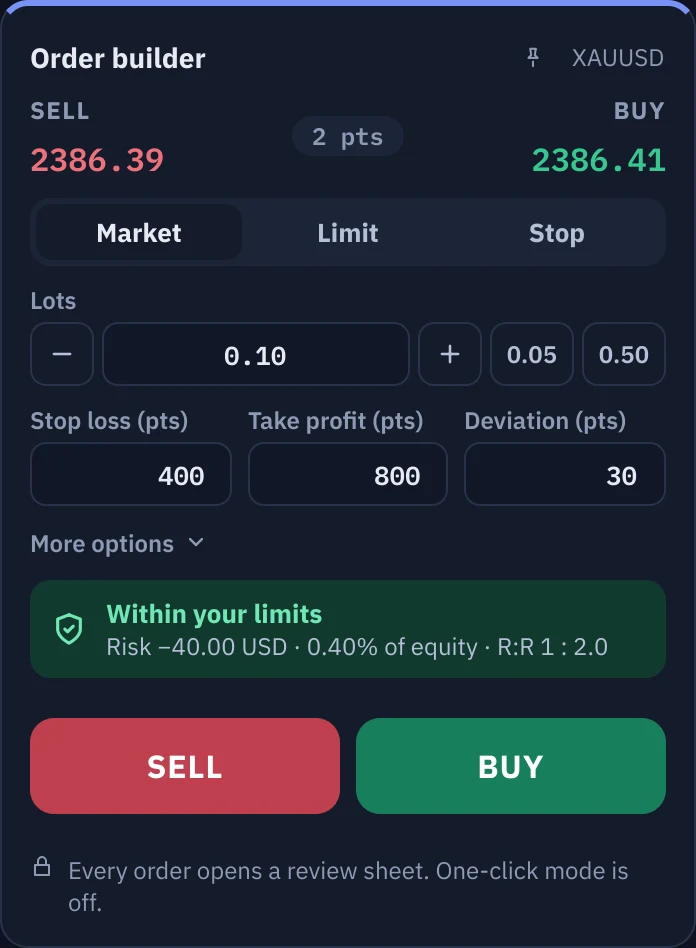
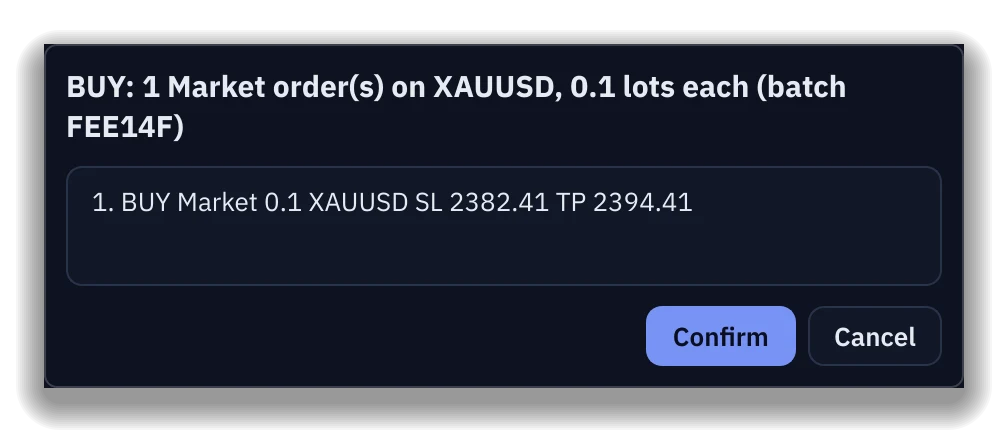
  • Every order opens a review sheet first. One-click mode is off by default.
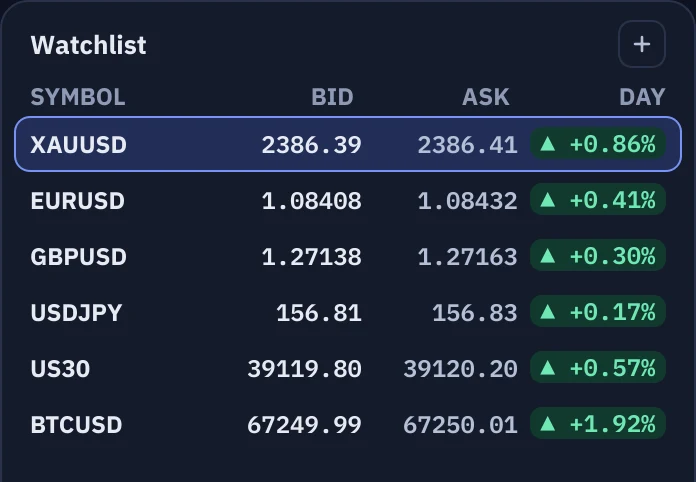
  • A watchlist with day-change pills sits beside it: one click changes the symbol.
The Order builder with lots, stop loss, take profit and the SELL, BUY and BUY & SELL buttons
The watchlist with day-change pills
The order review sheet for a BUY with stop loss and take profit

The chart comes first.

A large live chart takes the left of the window, with the price scale on its right in English and in Arabic. Your trades sit on it as lines you can drag, and an RSI strip for four timeframes sits underneath.

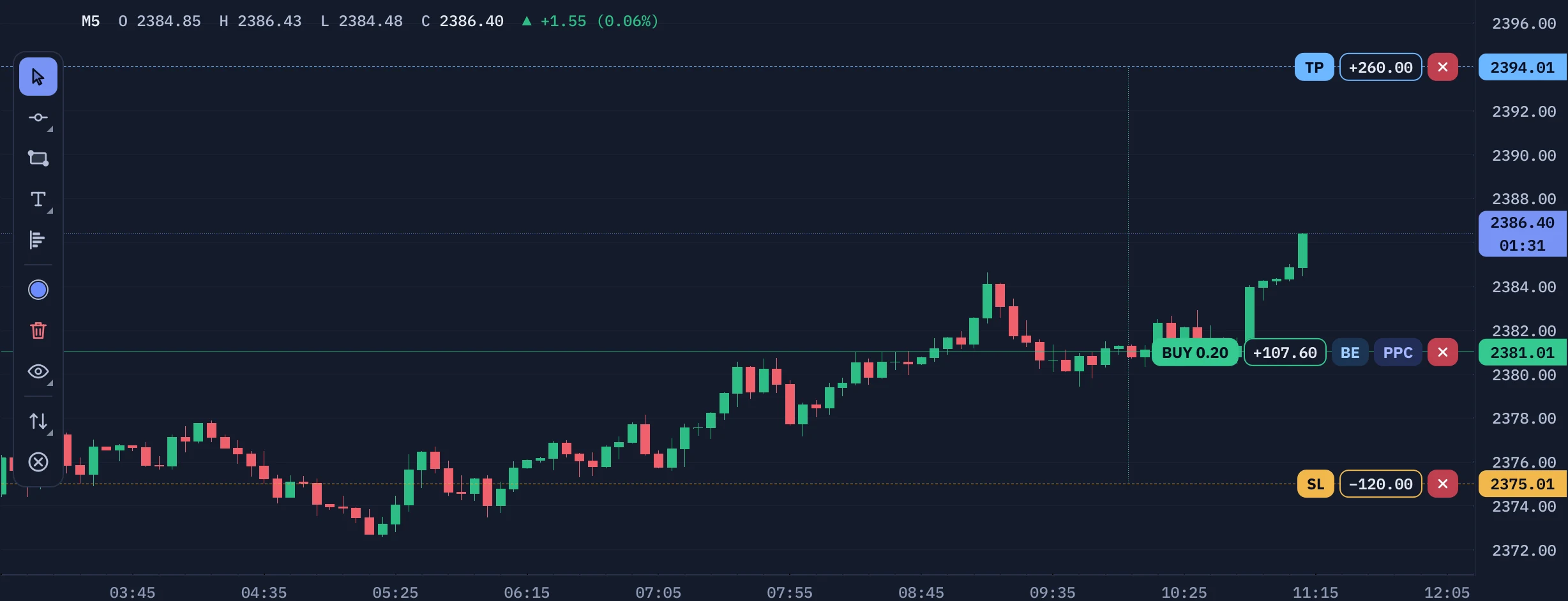
  • Drag a stop loss or take profit on the chart. The BE, PPC and close pills sit on the trade line.
  • Drawing tools, indicators and a volume profile are one click away.
The chart toolbar with the symbol, timeframes and lot pills A profitable BUY on the chart with its entry, take profit and stop loss lines The RSI and trend strip under the chart
News trading

Be in the trade when the news lands.

The next high-impact event sits on the main window with a live countdown. Arm BUY & SELL on it and Bliks places the pair of orders seconds before the release. When one side fills, OCO cancels the other, and orders that never trigger expire.
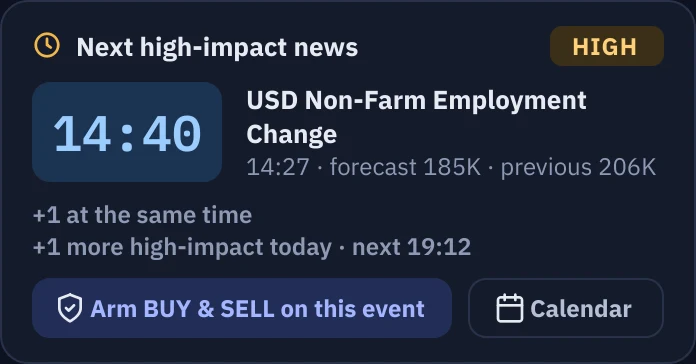
  • A countdown card with an Arm BUY & SELL on this event button.
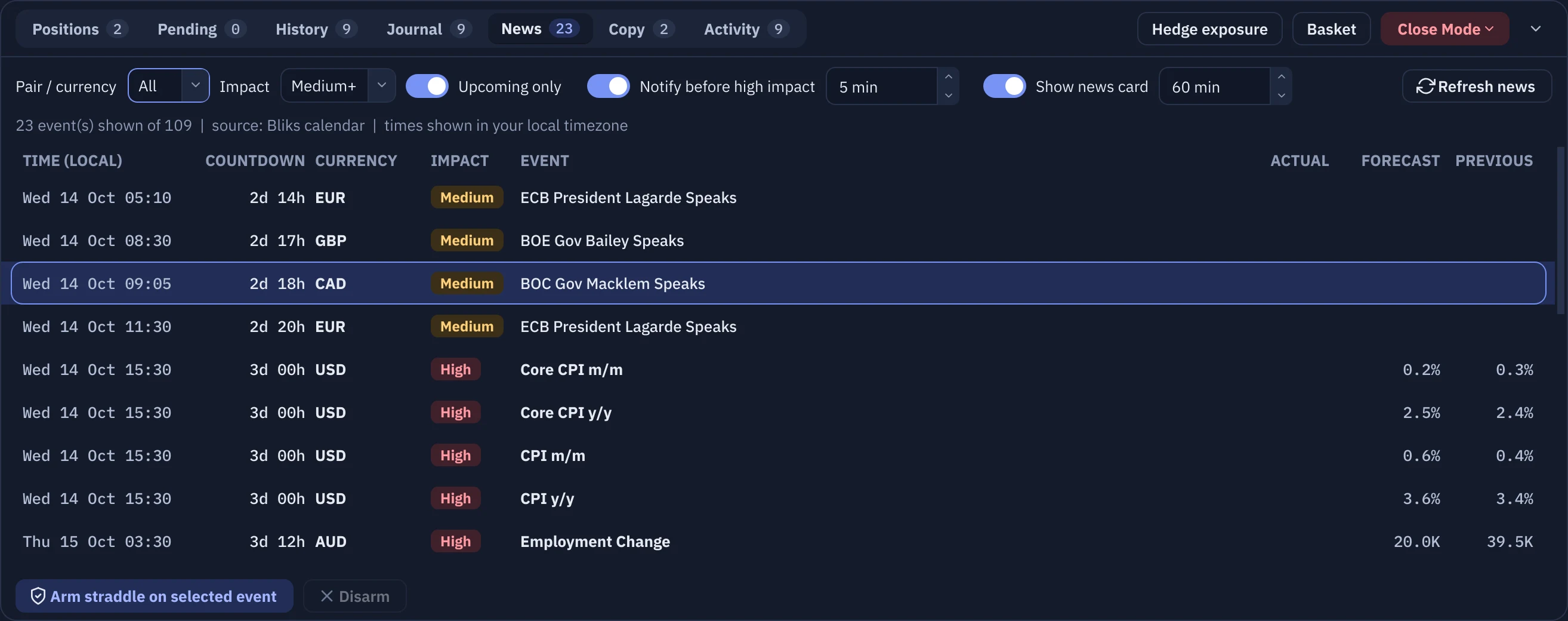
  • The full economic calendar in the News tab.
  • A reminder before the release, by pop-up, sound or voice.
The next high-impact news card with a countdown and the Arm button
The News tab with the economic calendar
Risk

Limits that hold when the market doesn't.

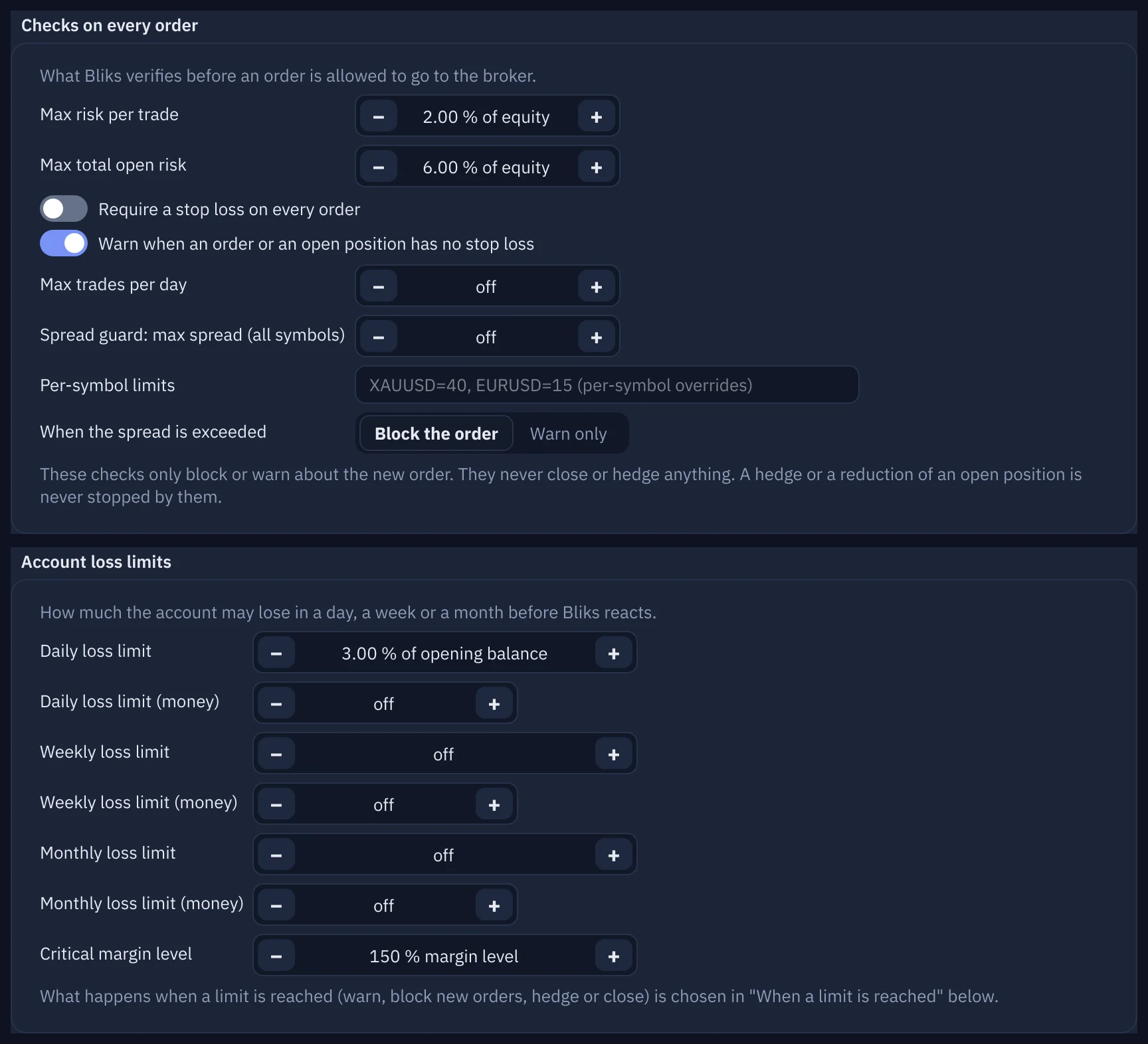
Per-trade and open-risk caps, daily, weekly and monthly loss limits, prop-firm drawdown, a spread guard and a critical-equity alert.

A card that tells you where you stand.

Day loss, open risk, trades and margin in one card that turns amber and red as you approach a limit.


  • Every order path is checked against your limits, including setups and copied trades.
  • Warnings before you move or remove a stop loss, and a guard when you close a hedge leg.
  • With the guardrails off the card turns grey, so it never looks safe when it is not.
The Risk limits card within limits
The Risk limits card close to a limit, in amber
Settings, Risk page with the loss limits
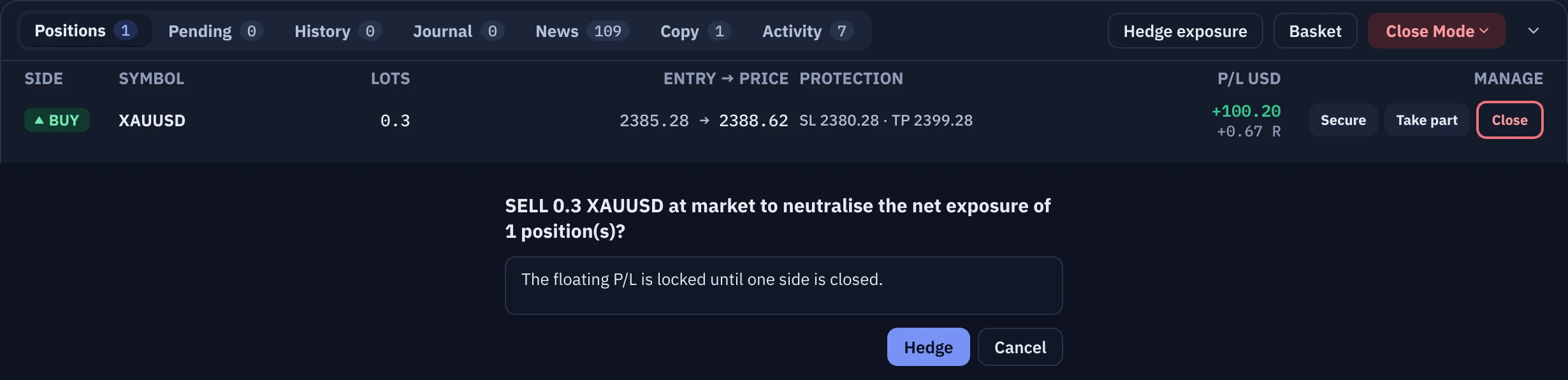
The Hedge exposure button enabled for a net exposure, with its confirmation

Hedge exposure

Neutralise a net exposure with one opposite order, or let the optional automatic hedge do it when losses reach your trigger.
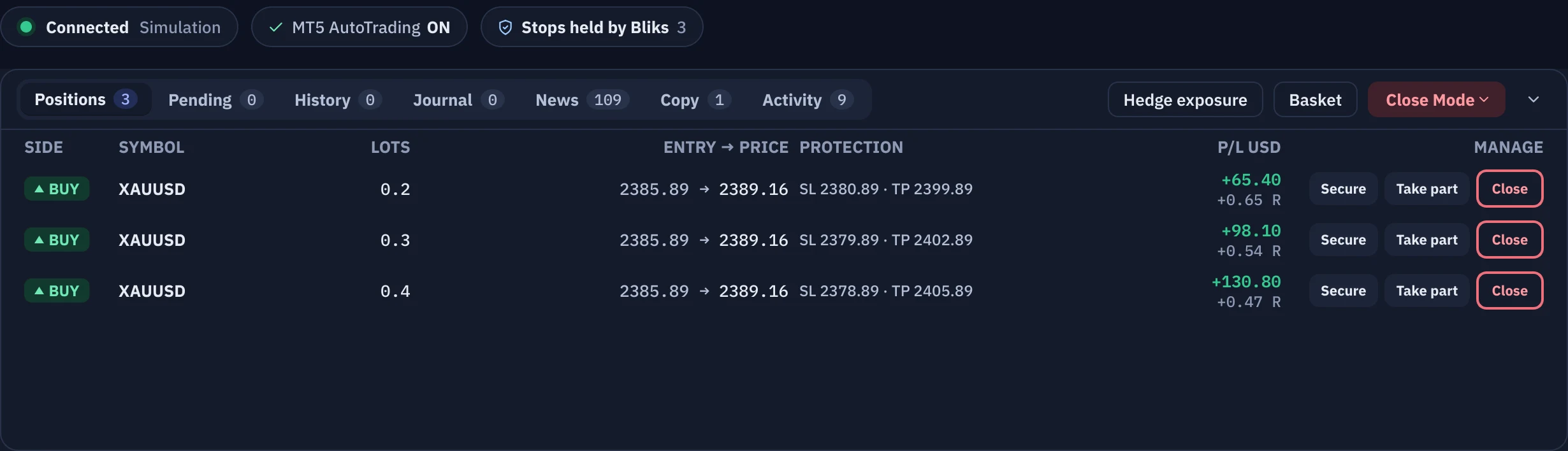
The Stops held by Bliks chip in the app bar and the Protection column

SL/TP privacy (optional)

Keep your stops off the broker's server. It works only while Bliks and MetaTrader 5 are running and connected, and Bliks warns you at every step.

Manage trades

Every trade carries its controls.

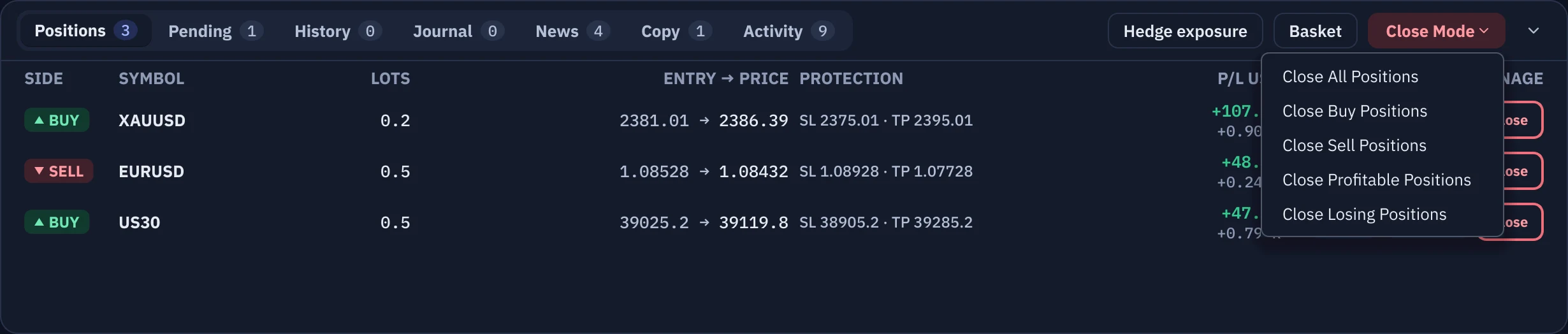
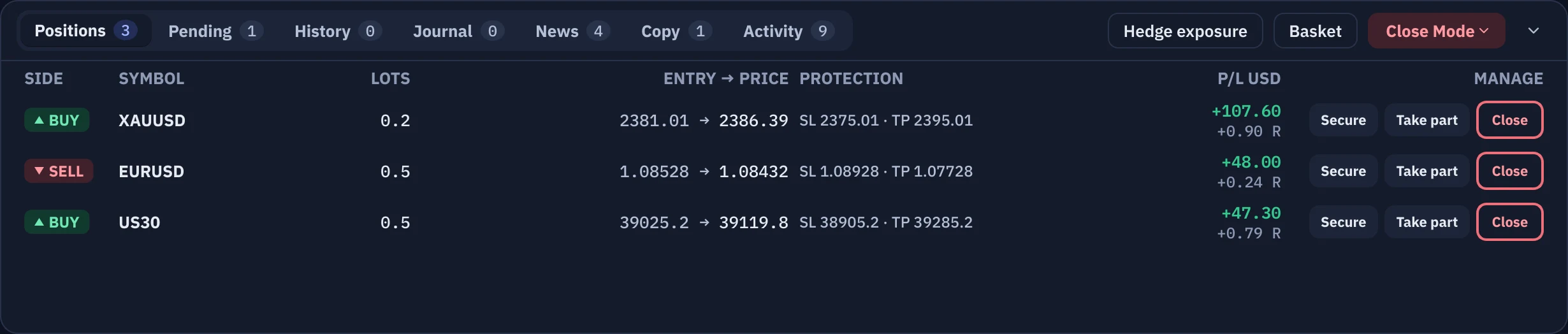
Secure, Take part and Close on every row. Close Mode closes a whole side, or only the profitable or the losing trades. Pending orders have their own Cancel buttons.

Take part of the profit, keep the rest running.

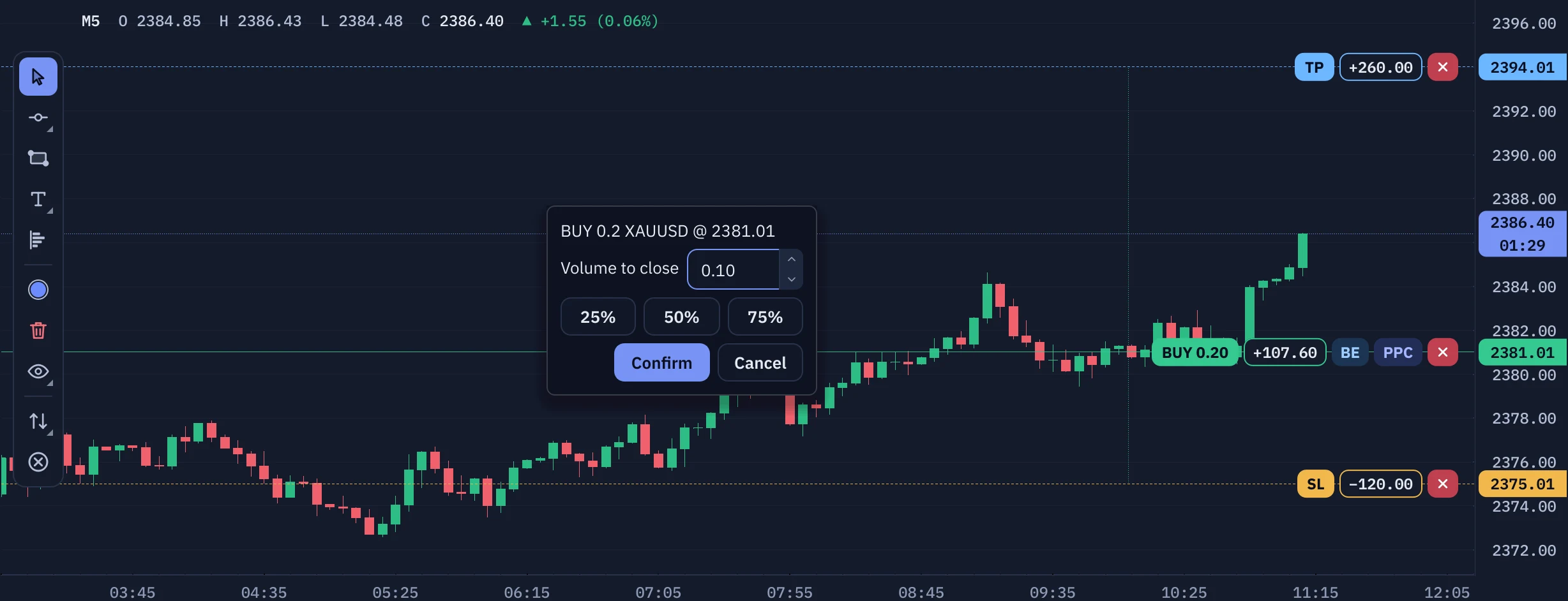
PPC closes part of a trade while it is in profit: type the lots or use the quick-size buttons. Before it sends anything, Bliks warns you about a hedge it would leave unbalanced or a thin margin.
  • Secure moves the stop to break-even in one click.
  • Right-click a row for a partial close, a journal note and more.
The partial profit close dialog over the chart
The Positions panel with profitable trades and the Secure, Take part and Close buttons
Positions: Secure, Take part and Close on every row, with Hedge exposure, Basket and Close Mode always within reach.
The Close Mode menu with All, Buy, Sell, Profitable and Losing entries
Close Mode: a whole side, or only the profitable or the losing positions.
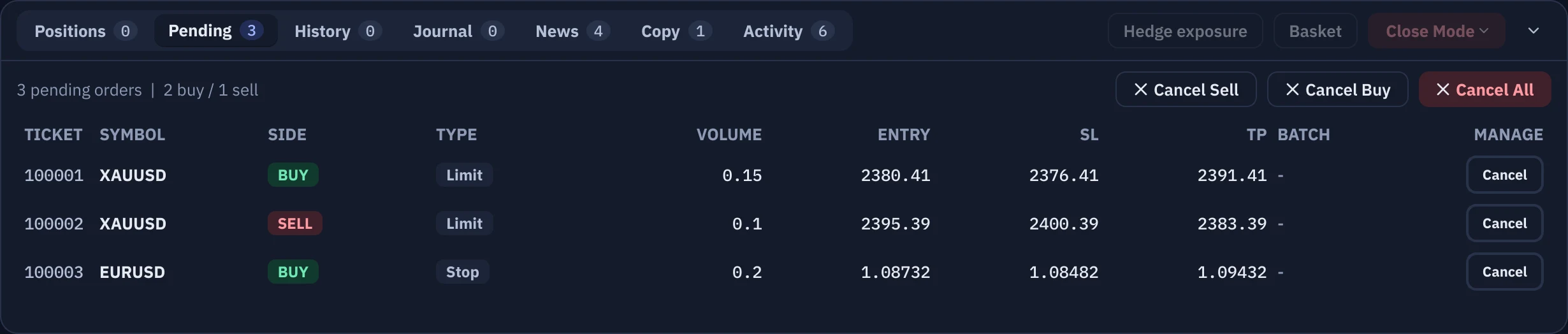
The Pending Orders tab with a Cancel button on every row
Pending orders: Cancel one, or Cancel Sell, Cancel Buy or Cancel All.
Alerts and voice

The desk that tells you what just happened.

Bliks says the result in plain words the moment it is booked: take profit, stop loss with the amount, price levels, news, connection and risk. It works offline and starts instantly on any PC.

  • Amounts come from MetaTrader's own records, so they match the Trade history tab to the cent.
  • Orders that close together become one sentence: how many hit, and the total you made or lost.
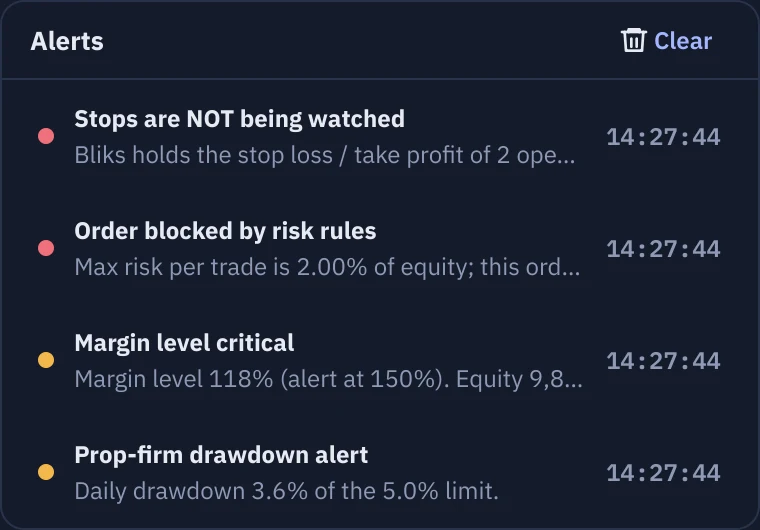
  • The bell keeps a list of your warnings, and a click on one jumps to its line in the Activity tab.
  • The voice speaks English today. The interface is fully available in Arabic, and an Arabic voice is next.
Congratulations, take profit hit. You made one hundred twenty five dollars.
amount = MetaTrader's booked result, same as Trade history
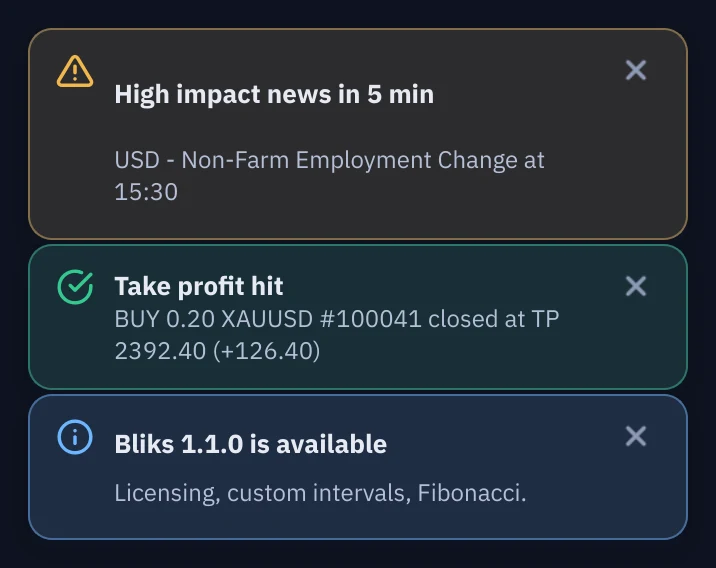
Two pop-up notifications: news in 5 minutes and a take profit hit in profit
The alerts list under the bell with several warnings
Price reachedTake profit hitStop loss hitSetup placedSetup activatedSetup canceledPartial take profitTrade closedNews reminderMarket open and closeMarket closing soonYou are offlineMetaTrader offlineAutoTrading statusAccount at risk
Review and share

Learn from every trade, or let others follow it.

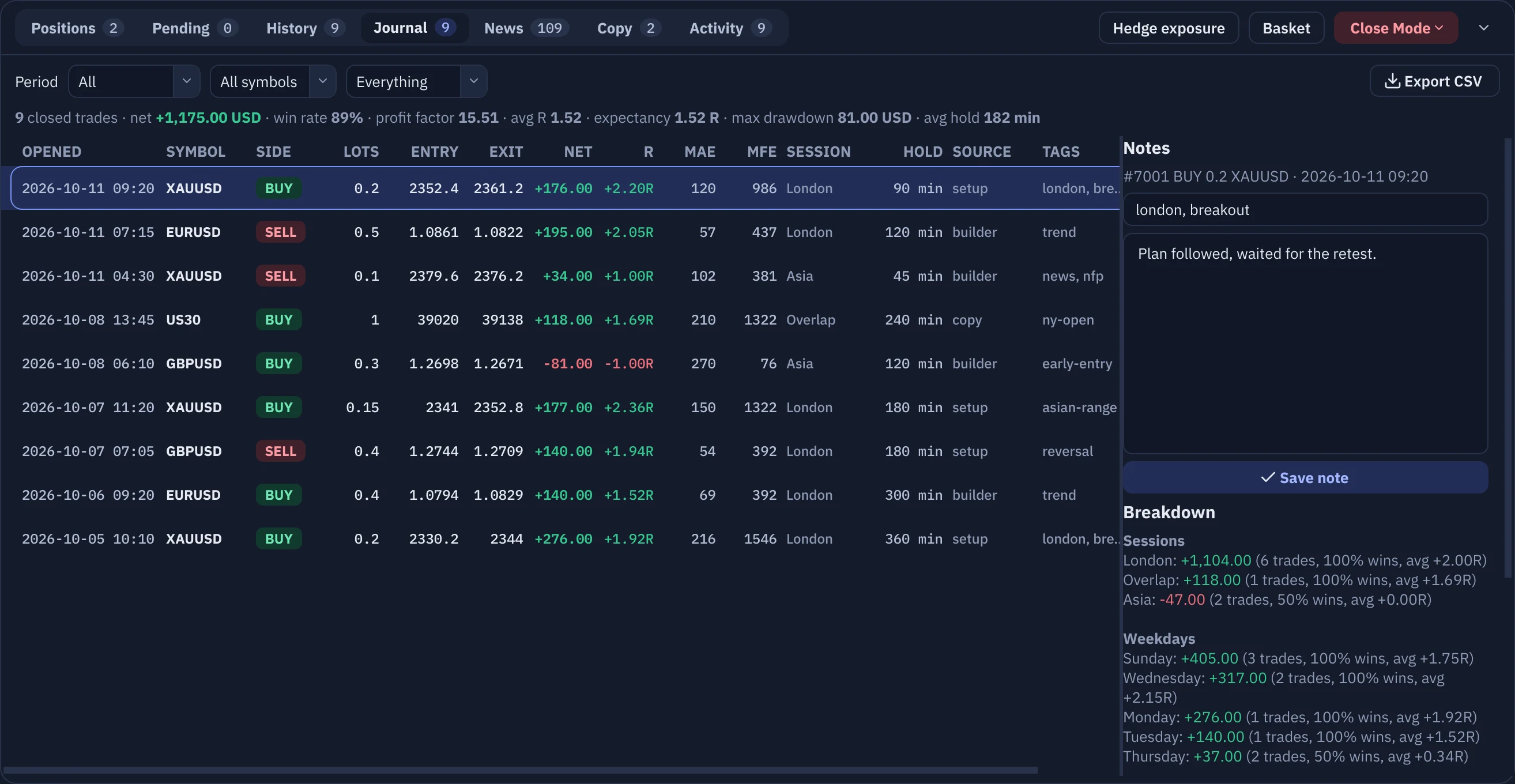
The Journal tab with trades in R multiples

Every trade, in R.

MAE and MFE, notes, tags and a weekly report.
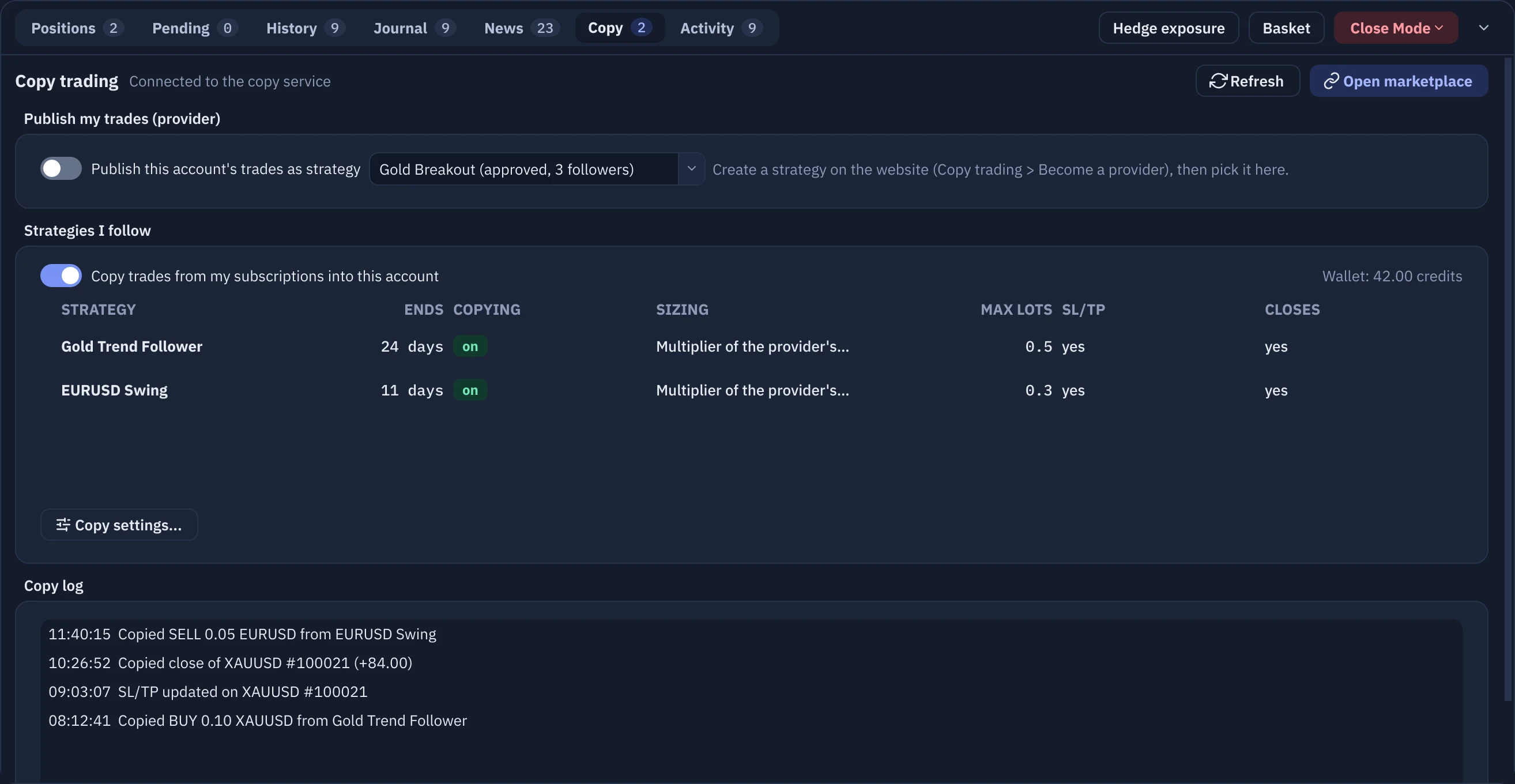
The Copy tab with followed strategies and the copy log

Copy trading and Telegram.

Follow strategies in your own account with your own sizing, or publish yours. Telegram sends alerts out and takes /status, /risk and /be commands in.

MarketplaceTelegram both ways
Language and themes

Your language, your theme.

The whole interface is available in Arabic, right to left, with a choice of Arabic fonts. Switch between the dark and light themes and set the interface size for your screen.
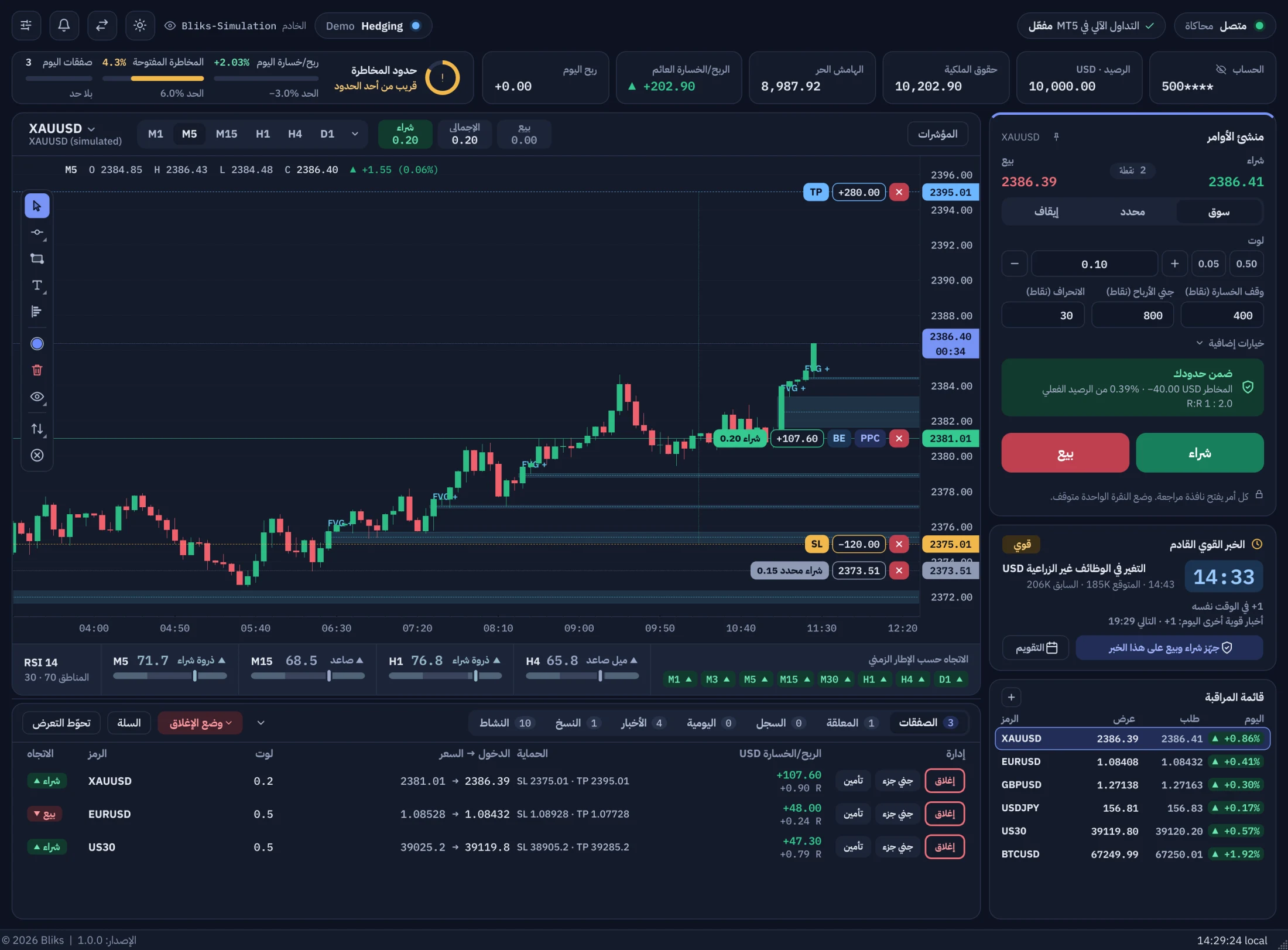
Bliks in Arabic, dark theme

Arabic interface

Right-to-left text, the chart still on the left and the Order builder on the right.
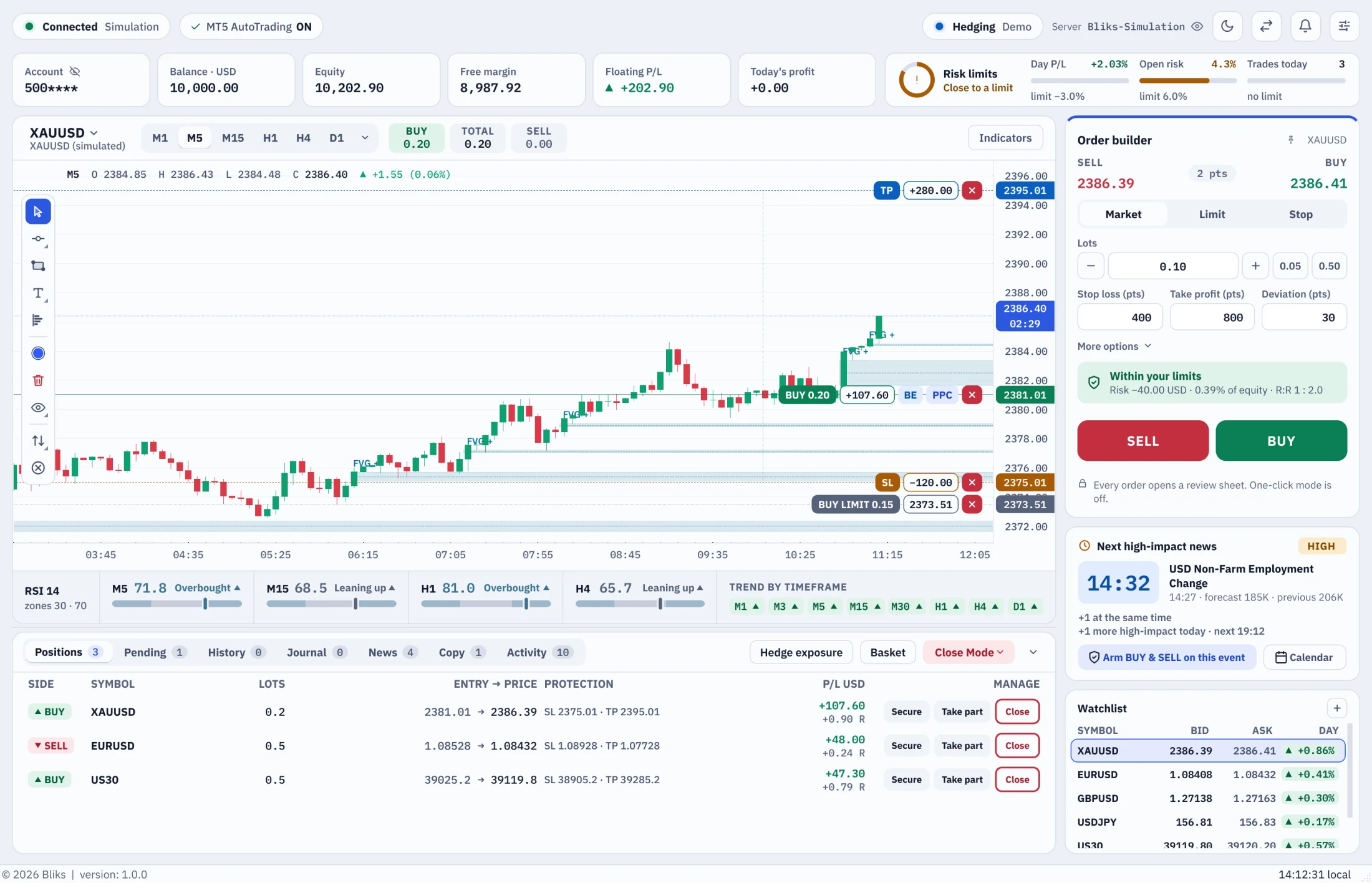
Bliks in the light theme

Light theme

The same layout in a refreshed light palette, for bright rooms.

Trust, in plain terms

Your account, your rules. Bliks never acts on its own.

Never trades on its ownNo signals and no strategy engine. It acts only on orders and rules you set.
Never sees your broker passwordIt talks to the terminal already logged in on your PC.
Your data stays on your PCBalances, positions and history are not sent anywhere.
Every automatic action is loggedEach order is written to the Activity Log with its reason.
Starter

Single-order trading, chart management, drawings, history and news.

$19.00 / monthly
Choose duration
Pro

Everything for news trading: batches, chart management, studies and alerts.

$39.00 / monthly
Choose duration
Pro lifetime

Single-order trading, chart management, drawings, history and news.

$899.00 / lifetime
Choose duration

Put your MetaTrader 5 on a better desk.

Install Bliks next to the terminal you already use. Sign in with your Bliks account and trade.